Distance learning is now a method all teachers need to be comfortable with. In our ever-changing world, you could switch from teaching in your classroom to teaching online in a heartbeat! If technology is your thing, that’s probably no big deal. But what about new teachers, or those who aren’t super-techy? Luckily, there are many awesome tutorial videos for remote teaching to be found on YouTube that will help!
With so many platforms and apps, a search for the best tutorials can definitely be, you guessed it, time consuming. (Do you know how many Zoom videos alone are out there?) So I decided to take a good look around to save you some time. I’ve narrowed my list down to these 6 top videos for remote teaching. Well, actually 7 — I couldn’t resist an extra. Each of the presenters are SO good, and you will learn an abundance of great tips and tricks! Let me explain my parameters as I went perusing the Tube.
My Criteria for Choosing the Videos
- content is relevant, accurate, and appropriate for all grade levels
- presenter gets right into the content
- sound is clear; presenter is articulate
- video contains plenty of screen sharing
6 Best Videos for Remote Teaching
1. This video is essential if you’re using Zoom. The presenter demonstrates 7 screen-sharing tips you’ll want in your toolbox. Learn how to annotate right on text you upload for your students to see. Mark it up, label things, pop in arrow or star “stamps,” and then allow or prevent others from annotating on your shared content. He also shows you how to create polls and all the options you have for polling your students.
2. Here’s a tutorial that takes you on a visual learning journey like none other! Pocketful of Primary has hit it out of the park here explaining 7 top platforms you’ll need to rock distance learning. This presenter gets right to the content, demonstrating tons of important features and options for teachers. She shows you just what it’s like to be on each platform, and the next thing you know, it’s not all that scary!! You’ll want to take some notes, and definitely look for more of her videos.
3. Our next must-see video for remote teaching is about all things Flipgrid. Clearly an expert, the presenter shows that Flipgrid is a highly engaging teaching tool without a steep learning curve. Students make videos (with lots of customization options) to respond to your “assignments.” Flipgrid has all kinds of pre-created lessons (yay!), and he shows you how to search for them by topic and edit them. You’ll learn how to record a video of yourself, add text or sticky notes, and the list goes on.
4. Are you looking for ways to engage students in collaboration during distance learning? This next tutorial exhibits how to use Nearpod to design interactive, collaborative activities. Without delay, the presenter shares her screen to show how to use Google Slides with Nearpod. You can create a collaboration board, where students post their ideas during brainstorming or respond to an essential question. Everyone can see each other’s ideas! You can upload an image or background, use a Draw It feature, and add reference material. With Nearpod, there are even more cool features (like 3-D images), as shown in the tutorial. You pull all the activities you create into your Google Slides and save the slide decks to Nearpod, where you “launch” a live lesson using a code. Everything is explained super well—she’s fantastic!
5. If you’re using Google Classroom, this tutorial will bring your remote teaching skills to the next level! You’ll find ways to do more with Google Classroom to connect with and engage your students. The presenter outlines five topics and demonstrates what to do. You’ll see how to use the stream page to connect with students and the student selector to set up a group project or differentiate assignments. He presents three methods for improving student feedback, including a free extension that allows you to leave voice comments with just a click! This is a super-helpful tutorial for all users of Classroom.
6. With distance learning comes the need for a different type of classroom management. Here the presenter shares five pieces of a puzzle that, when put together, represent a strong remote learning classroom management system. The five areas she believes must all be at work in a solid distance learning classroom management plan are Classroom Rules, Rewards and Consequences, Classroom Community, Building Relationships with Families, and Growth Mindset. She talks in depth, giving many great examples and solutions. It is definitely worth watching all the way through. You’ll want to have ALL these tips in your toolbox!
So there you have it! These 6 rose to the top as I searched through YouTube’s many tutorial videos for remote teaching. There is one more I’d like to include, just as a bonus. It’s another on classroom management, but strictly pertaining to Zoom. You’ll get 5 tips and tricks on how to have more control when you teach on the Zoom platform. Enjoy!
Really, these presenters are ALL super-impressive! I hope they will inspire you on your teaching journey.
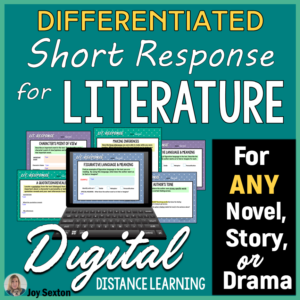
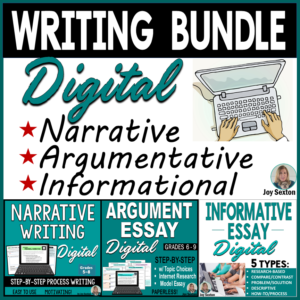
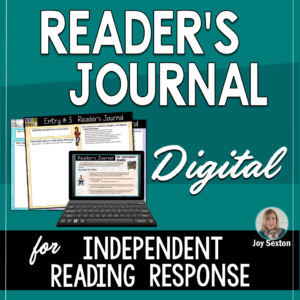
Here are some ELA digital resources for distance learning you might enjoy teaching with:

Leave a Reply